Day 021 · Evening
Time tracking on an all-nighter, so I made the screen go red
Pulling an all-nighter makes time tracking harder than it should be. Deep work stretches feel like twenty minutes until you look up and an hour has gone. Headphones go on, volume sits on mute, and the usual timer tricks fall apart: a beep you never hear, a toast you never see, or a Clocks window that only plays sound when it has focus.
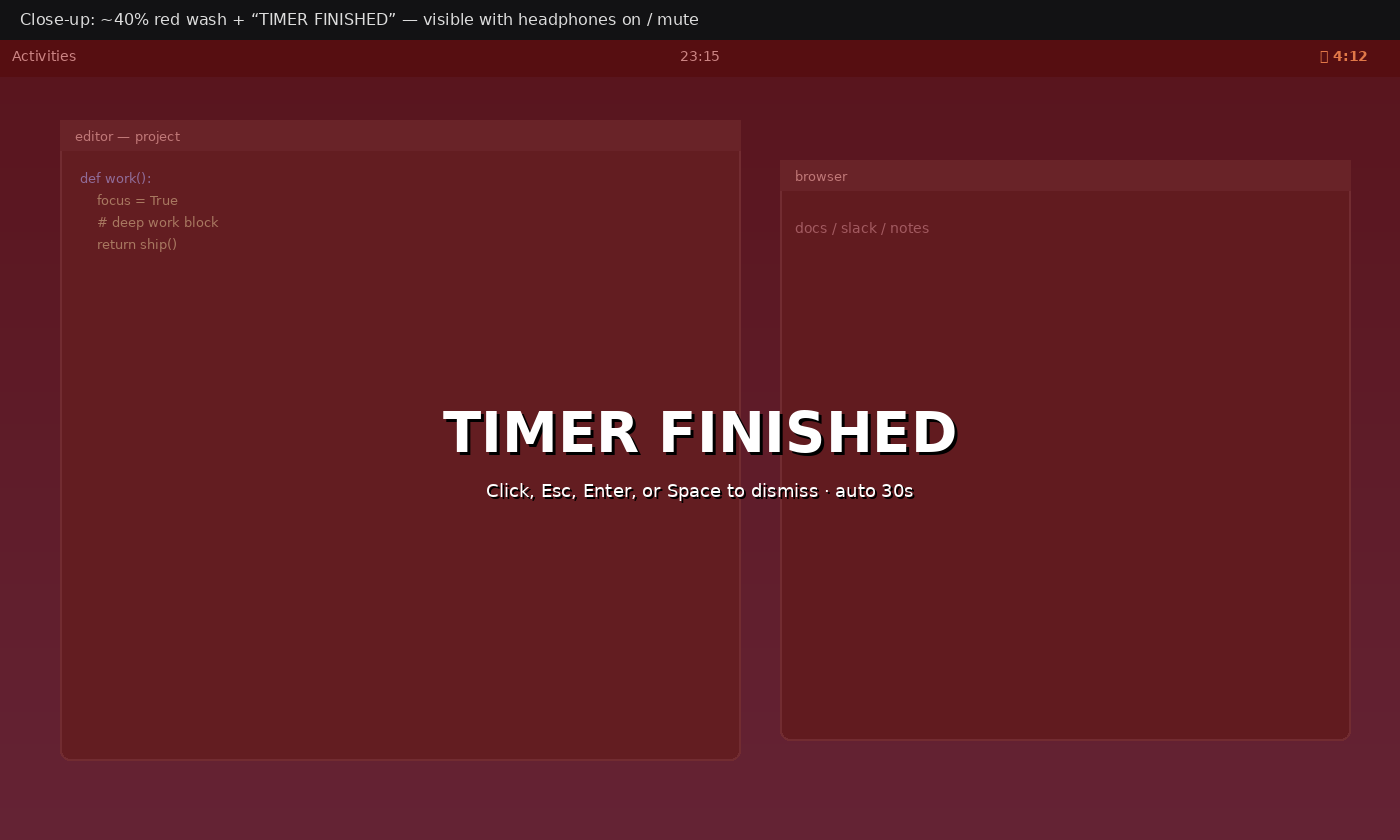
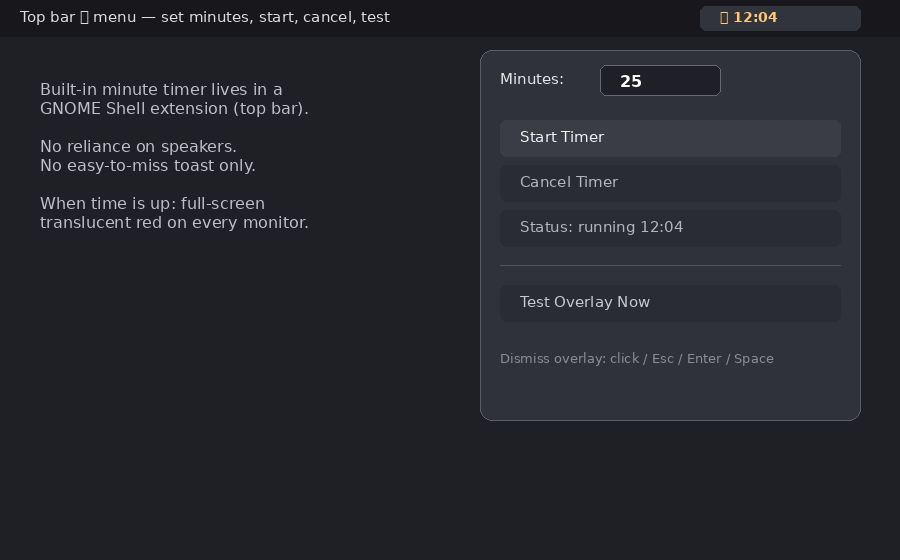
So I built a silent visual timer into a GNOME Shell extension on Ubuntu. A ⏱ control lives in the top bar. Set minutes, hit Start, and the icon counts down. When time hits zero, a translucent red overlay paints every monitor with TIMER FINISHED — dismiss with click, Esc, Enter, or Space (or it auto-clears after about thirty seconds). Dual monitors both go red, so there is nowhere for my eyes to hide on the second screen.
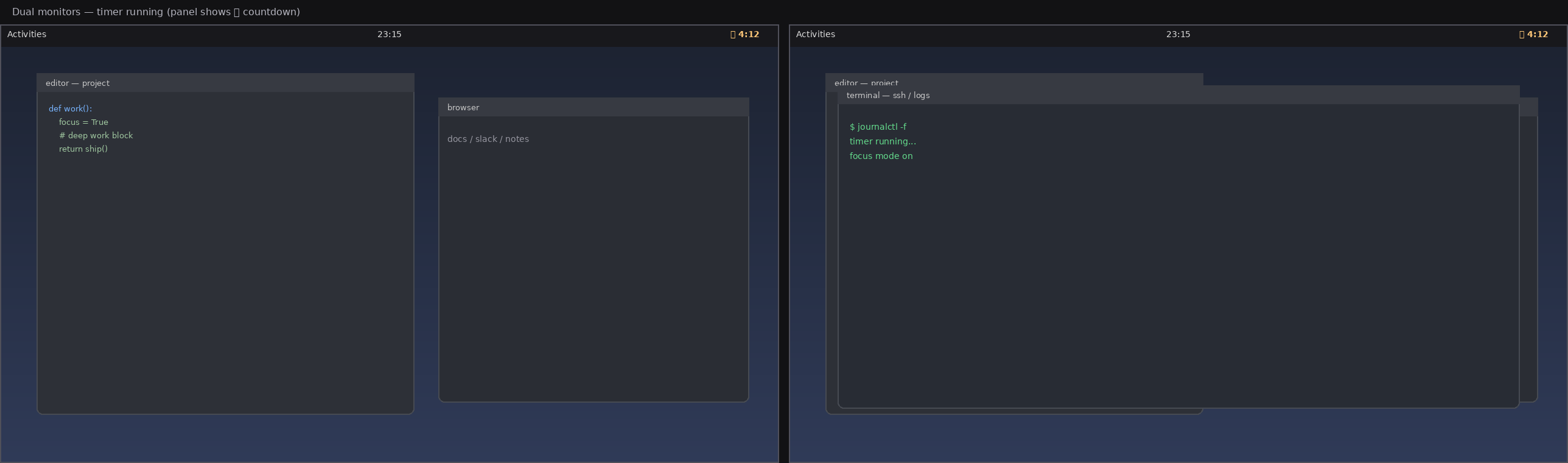
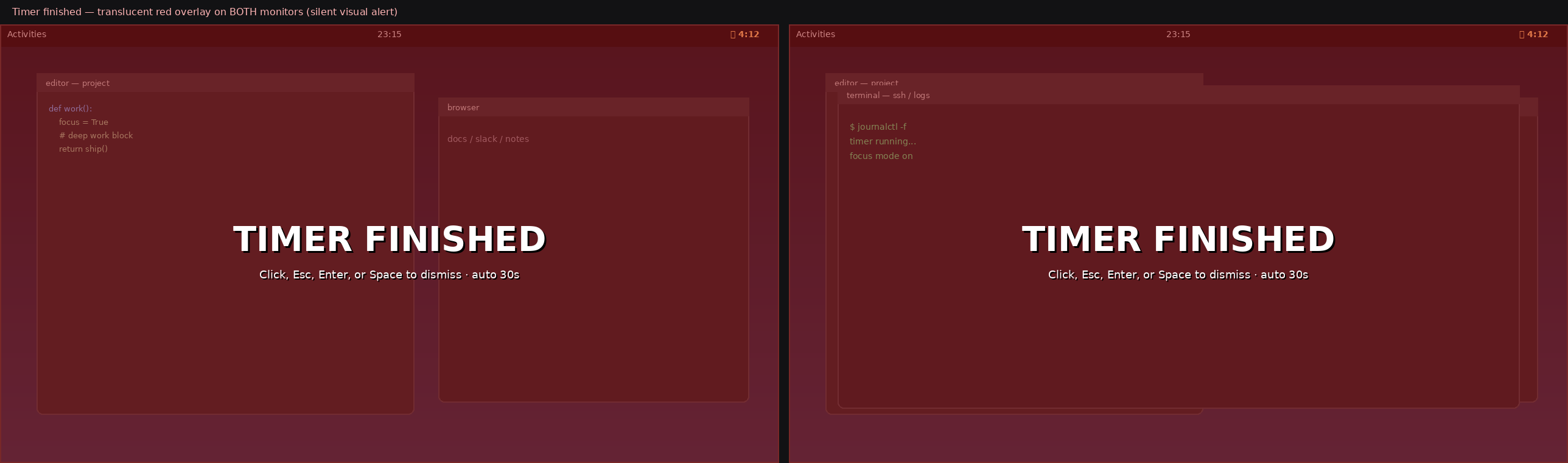
The red wash is about forty percent opacity so the desktop is still faintly visible underneath. Interrupt without wiping the whole thread of what I was doing. No forced sound. No dependence on notification banners.
The only real failure mode left is the obvious one: I may still forget to hit Start. That is on me. Even so, a timer I have to remember once is better than working straight through a block for another twenty minutes without noticing the clock at all.